
5 Best VPNs for Safari: Fast & Secure Browsing in 2025

Despite Apple’s focus on privacy, Safari doesn’t fully protect your data. Your IP address, location, and browsing activity can still be exposed to the websites you visit, internet service providers (ISPs), and network administrators.
Only a handful of VPNs seamlessly integrate with Safari, providing secure and private browsing without compromising speed. My team and I tested over 60 VPNs to identify the best ones for use with Safari on Mac and iOS. We paid particular attention to the VPN's ability to keep you anonymous online, whole-device protection, speeds, global access, and compatibility with Safari’s ecosystem.
The Safari VPNs I recommend provide military-grade encryption, strict no-logs policies, and user-friendly apps for Apple devices. These VPNs also have fast and reliable servers worldwide to stream popular platforms, like Netflix and Hulu, on Safari from anywhere. Read on to review their pros and cons and choose your preferred VPN.
Top-Rated VPNs for Safari Analyzed (2025 Update)
1. ExpressVPN — Fastest Speeds for Seamless Browsing and Streaming on Safari

 Try Risk-Free for 30 Days
Tested December 2025
| Best Feature | Lightway protocol delivers excellent speeds and performance on Apple devices |
|---|---|
| Server Network | 3,000 servers in 105 countries so that you can stay safe browsing on Safari anywhere |
| Security & Privacy | The built-in Threat Manager stops harmful websites, trackers, and malware |
| Works With | Netflix, Disney+, HBO Max, Hulu, BBC iPlayer, Amazon Prime Video, Peacock TV, and more |
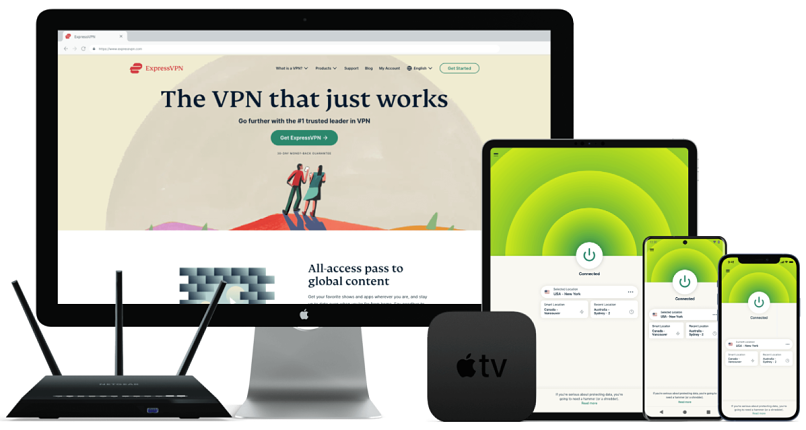
ExpressVPN's Lightway is engineered for efficiency, establishing connections faster and maintaining stable performance for uninterrupted Safari sessions. Unlike heavier protocols, Lightway utilizes lightweight encryption and a streamlined codebase, which also conserves battery on your MacBook, iPhone, or iPad. During tests, we watched Emily in Paris in HD on Netflix US and made video calls on Safari without delays.
 Our average download speed dropped only slightly testing nearby servers
I was impressed by how well ExpressVPN integrates with Safari's existing privacy features. It provides comprehensive protection that works in tandem with Safari's built-in security without causing conflicts. Additionally, automatic obfuscation on all servers hides the fact that you're using a VPN, making it harder for institutions like schools or workplaces to block your connection.
ExpressVPN's MediaStreamer feature is especially useful if you have streaming devices (like older Apple TVs) that don’t support VPN apps. This Smart DNS tool enables you to enjoy smooth, high-quality streaming of US and UK content without the need to install a VPN. Since it doesn't encrypt your connection, you might get better performance while watching your favorite shows.
The main drawback is that ExpressVPN costs more than some competitors. However, frequent discounts and deals are offered on long-term purchases to help you save. Plus, it comes with a reliable 30-day money-back guarantee* and can be used on up to 14 devices simultaneously.
Useful Features
- Smart server selection. ExpressVPN's Smart Location feature automatically picks the fastest server for you based on your location and network conditions, so you get the best possible Safari browsing experience.
- Split tunneling. You can choose which apps use the VPN and which ones don’t. This gives you more control and allows you to browse privately on Safari while using your regular connection for other tasks, such as ordering food. It’s also handy for avoiding triggering those irritating CAPTCHAs.
- Router compatibility. You can install ExpressVPN on your router to protect every device connected to your home network, including devices that don’t support VPN apps directly, like gaming consoles.
- Apple TV app. You can install ExpressVPN directly on your Apple TV if it offers tvOS 17 or above. You simply need to scan a QR code to sign in.
- One of the fastest VPNs
- Works with top streaming sites
- A proven no-logs policy
- Limited customization
- Smart Location isn't always the fastest
2. NordVPN — Privacy-Friendly Safari VPN So None of Your Data Gets Recorded, Stored, or Shared

| Best Feature | Proven not to collect or share your Safari activity, including your search history |
|---|---|
| Server Network | 8,705 servers in 171 countries to easily find one near you for the best speeds |
| Security & Privacy | Obfuscated servers hide your VPN traffic, ideal for use on restricted networks |
| Works With | Netflix, Disney+, HBO Max, Hulu, BBC iPlayer, Amazon Prime Video, ESPN+, and more |
With a verified no-logs policy, NordVPN doesn't store your browsing activity, connection timestamps, or IP addresses, so your Safari sessions remain truly private. Plus, it's based in Panama, outside the 5/9/14 Eyes Alliances, meaning it's not obligated to share your data with any government. The company even publishes monthly transparency reports that let you know each time data is requested from them, and they’ve never had anything to share.
 NordVPN's RAM-only servers automatically wipe all data on every reboot
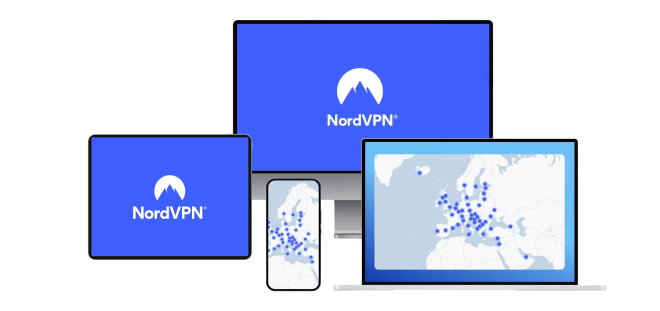
The NordLynx protocol delivered excellent performance during our speed tests. This proprietary protocol is baes on WireGuard and offers speed benefits without compromising security. Testing US servers, we achieved an average of 193Mbps from a base connection of 272 Mbps, for a smooth performance for browsing and streaming content on Safari.
The VPN is also easy to use with Safari thanks to its intuitive layout. All of its features are clearly marked, and you can quickly find any server you need through its search bar. Plus, its iOS and Mac apps are just as full-featured and straightforward to navigate as its Windows one.
One minor con is that some servers can take longer to connect, especially during peak hours. However, once connected, NordVPN delivers exceptionally stable performance with virtually no unexpected disconnects, even on extended browsing sessions. All options come with a 30-day money-back guarantee, so you can confidently try NordVPN for Safari.
Useful Features
- Double VPN. Your data passes through two secure servers instead of one, providing stronger encryption when using Safari for tasks such as banking or accessing sensitive accounts.
- Dark Web Monitor. If your Safari credentials show up in a dark web leak, you’ll get notified right away. This way, you can change your passwords before anyone can misuse them.
- Meshnet. This allows you to create a private network between your devices, so you can remotely access your other Apple tech or quickly share files between them.
- Strong security and privacy
- Fast local and faraway servers
- Great for streaming
- Some long connection times
- High renewal prices
3. Surfshark — User-Friendly iOS Apps to Easily Secure Your Data on Safari

| Best Feature | Straightforward to install and use so that you can browse Safari safely in just a few minutes |
|---|---|
| Server Network | 4,500 servers in 100 countries with RAM-only infrastructure |
| Security & Privacy | Camouflage Mode makes VPN traffic on Safari look normal, helping you avoid detection and blocks |
| Works With | Netflix, Disney+, HBO Max, Hulu, BBC iPlayer, Amazon Prime Video, SkyTV, ESPN+, and more |
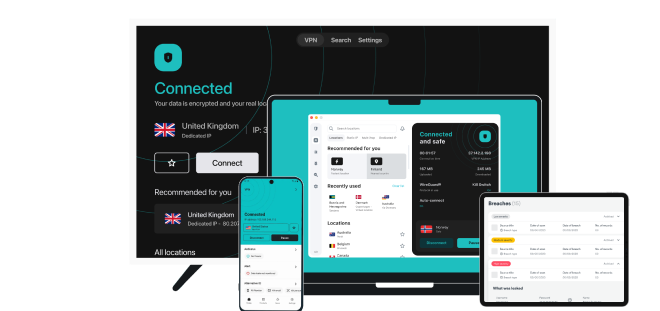
Surfshark's iOS app features an intuitive interface that's easy to navigate, even for beginners, with one-tap connections, clearly labeled settings, and quick access to optimized servers for streaming or browsing. During tests, I installed it from the Apple Store in under 3 minutes. I also love that both the iOS and Mac apps come with split tunneling and a kill switch.
 Click "Settings" at the bottom left-hand side of your screen to customize Surfshark’s settings
Surfshark’s NoBorders feature automatically detects restricted networks and shows you the best servers to use. If you use Safari while traveling or in places with strict internet rules, such as hotels or offices, it makes staying private a lot easier. This works great in conjunction with the GPS Override feature for mobile devices, which makes sure the GPS matches your server location.
The only thing I didn't like was that Surfshark is based in the Netherlands, which is part of the 9 Eyes alliance. However, an independent audit from Deloitte has confirmed its no-logs policy. You can test Surfshark risk-free for 30 days using its money-back guarantee.
Useful Features
- IP Rotator. It changes your IP address every few minutes without disconnecting you, so it’s harder for websites to track what you’re doing on Safari.
- Clean web. You’ll be able to block a lot of annoying ads, malware, and malicious sites on Safari with Surfshark’s blocking feature.
- Easy to use
- Military-grade security
- Fast speeds
- Clunky torrenting support
- Based in a 9-Eyes country
- Might not work in China
4. CyberGhost — Ad and Malicious Site Blocker for Enhanced Privacy When Using Safari
| Best Feature | Ad-blocker tool removes annoying ads, pop-ups, and banners for a smoother browsing experience |
|---|---|
| Server Network | 11,690 servers in 100 countries with optimized servers for reliable streaming from anywhere |
| Security & Privacy | A kill switch and IP/DNS leak protection to keep your actual location private when browsing on Safari |
| Works With | Netflix, Disney+, Hulu, BBC iPlayer, Amazon Prime Video, ITVX, ESPN+, and more |
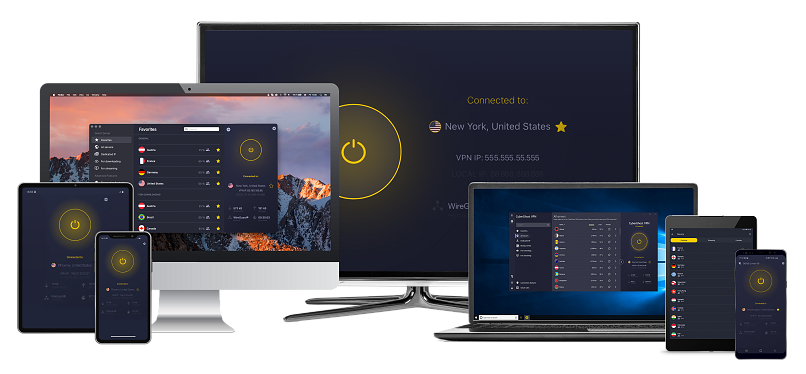
CyberGhost's Block Content feature blocks ads, trackers, and malicious domains at the DNS level, enhancing privacy and significantly reducing website loading times on Safari. In my tests on Mac, activating Content Blocker took seconds — simply click the gear icon, navigate to Preferences, and toggle it on in the Privacy Settings.
 CyberGhost’s ad blocker also stops trackers from following you across Safari
I like CyberGhost's dedicated servers for specific online activities, such as torrenting, streaming, and gaming. These servers are clearly labeled, and you can use the search bar to get started quickly. This makes it possible to reliably access Hulu, Disney+, Netflix, and more from anywhere using your Safari browser. We also downloaded a 4GB, copyright-free movie in under 4 minutes using a torrent-optimized server.
One downside is that CyberGhost’s short-term option is relatively expensive compared to other VPNs. However, long-term offers are very affordable and provide a generous 45-day money-back guarantee, giving you plenty of time to test its compatibility with your Safari usage patterns.
Useful Features
- Smart Rules automation. This feature allows you to set the VPN to launch automatically when you open Safari or connect to a new Wi-i network. It’s a simple way to protect your data and browsing activity without needing to turn on the VPN manually.
- Automatic WiFi protection. CyberGhost automatically activates the VPN when you connect to an unsecured or unknown WiFi network. This keeps your Safari traffic safe, especially on public hotspots.
- Secure access to streaming
- Military-level security
- Designed for ease of use
- Slower long-distance servers
- Doesn't work in China
5. Private Internet Access — Customizable Features to Balance Speed With Security While Using Safari
| Best Feature | Extensive customization options let you optimize performance for Safari |
|---|---|
| Server Network | 29,650 servers in 91 countries, including all US states |
| Security & Privacy | Multi-hop routes your traffic through a server and a proxy for enhanced privacy on Safari |
| Works With | Netflix, Disney+, Hulu, BBC iPlayer, Amazon Prime Video, SkyTV, ESPN+, and more |
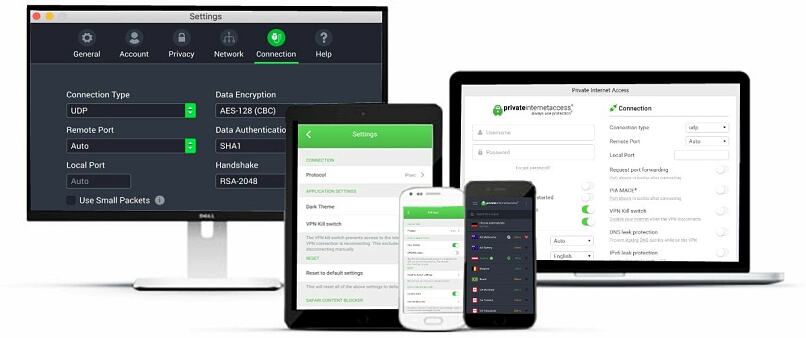
PIA's customization options allow you to fine-tune the VPN settings for optimal Safari performance. For example, when you choose the OpenVPN security protocol, you can choose between AES 128-bit or 256-bit encryption. I prefer 128-bit for streaming, as it's slightly faster but still secure.
 PIA's flexibility is particularly beneficial when using Safari on fluctuating WiFi or mobile networks
With one account, you can use PIA on as many devices as you want simultaneously, which is perfect for large households with multiple devices. We tested PIA by connecting iPhones, iPads, a MacBook, and Apple TV all at once, and we could still stream and play Roblox without any noticeable difference in performance.
The interface might feel overwhelming for beginners due to the numerous customization options. However, apps come with optimized default settings that work well with Safari right out of the box.
Useful Features
- Open-source transparency. PIA’s Mac and Safari-compatible apps are fully open-source, allowing anyone to inspect the code. This transparency gives you peace of mind knowing there are no hidden vulnerabilities or privacy risks while browsing.
- Many servers to choose from
- Customizable security settings
- Solid choice for torrenting
- Hit-or-miss customer support
- Tricky to navigate
Safari VPN Features – Quick Overview
Here's how the top Safari VPNs compare on key features that matter most for Apple device users. This table highlights Safari-specific benefits, Apple ecosystem integration, and performance characteristics that affect your browsing experience.
Why You Shouldn't Use a Free VPN With Safari
Using a free VPN may seem like a cost-effective solution, but it can compromise your privacy and security. Instead, use a premium VPN with a money-back guarantee. This gives you a chance to test the service without financial risk.
Here's why free VPNs are not a good choice for Safari users:
- Collects and sells your data. Many free VPNs make money by logging your activity and selling it to advertisers. This includes your browsing history, location, and device details. If you're using Safari to protect your privacy, a free VPN can expose more of your data than it hides.
- Device limits. Most free VPNs only allow one device to be connected at a time. If you're using Safari across an iPhone, iPad, and Mac, you won't be fully protected. You may have to disconnect one device to connect another, which leaves gaps in your security.
- Weak or outdated security. Safari users rely on encryption to protect sensitive data, such as passwords and credit card information. Free VPNs often use outdated encryption or skip essential security protocols, putting your connection at risk, especially when using public WiFi.
- Slow speeds and unreliable connections. Free VPNs have limited servers that are overcrowded. Safari may load slowly, crash, or fail to connect securely, especially during peak hours.
- Limited customer support. Most free VPNs offer no live support or practical help articles. If you run into connection problems or security concerns while using Safari, you're on your own.
- Include ads or malware. Some free VPNs inject ads into your browser or come bundled with hidden malware. This puts your device and personal data at risk, especially when accessing sensitive websites.
- Unclear ownership and shady practices. Many free VPNs are run by companies with little transparency. You might not know who owns the service or how your data is being handled.
Is Private Mode Enough to Hide Your Online Activity?
While Private Browsing Mode is a valuable tool for maintaining privacy, it’s not a complete solution. Websites can still collect certain data during your browsing session, your ISP can see the websites you visit, and any downloads or bookmarks created in private mode will still be saved.
The Terminal archive on Mac also stores information from the websites you visit, regardless of whether you're using Safari Private Browsing or not. When you access a website for the first time, your Mac saves static images and other files from that site. This helps to speed up future visits and page loading because your Mac retrieves the necessary files from the Terminal archive.
It's also essential to note that Private Browsing does not hide your IP address. This is your unique identifier on the web, and can be used to track your location and online activity. Dedicated snoops and hackers won’t have any trouble tracking what you’re up to once they find out your IP address.
Our Criteria for Testing VPNs for Safari
We tested each VPN specifically for Safari and Apple devices, not just general VPN performance. Our focus was on how well each service integrates with Safari’s privacy tools, like Intelligent Tracking Prevention and Private Relay. We also tested performance on Mac and iOS, as well as compatibility across Apple’s ecosystem, including iPad and Apple TV. Each VPN was evaluated based on its effectiveness in handling Apple’s network requirements and security protocols.
We also looked at streaming quality, security features, ease of use, and customer support. This included testing speeds during typical Safari use, such as browsing, streaming, and gaming. We rated how easy each app was to set up and navigate, especially for new users. Lastly, we contacted customer support for Safari-specific questions to assess how quickly and helpful their responses were across various channels — all VPNs on this list offer 24/7 live chat and email.
Our Verdict
Safari is built for privacy, but it can’t protect your data from network tracking, ISP monitoring, or unsecured public WiFi. Whether you're browsing on a Mac, iPhone, or iPad, your activity can still be visible to third parties without added protection.
A reliable VPN enhances Safari’s built-in privacy by encrypting your entire connection and hiding your IP address. It helps prevent tracking, bypasses restrictions, and keeps your data secure whether you're at home, on public WiFi, or traveling. I recommend ExpressVPN as it's the fastest one we tested with Safari, blocks ads, and provides robust security features to keep you safe online on all your Apple devices.
FAQs
Your online activity may be visible to the sites you visit
Your IP Address:
216.73.216.113
Your Location:
US, Ohio, Columbus
Your Internet Provider:
Some sites might use these details for advertising, analytics, or tracking your online preferences.
To protect your data from the websites you visit, one of the most effective steps is to hide your IP address, which can reveal your location, identity, and browsing habits. Using a virtual private network (VPN) masks your real IP by routing your internet traffic through a secure server, making it appear as though you're browsing from a different location. A VPN also encrypts your connection, keeping your data safe from surveillance and unauthorized access.
About the Author
Doris was a tech writer and a cybersecurity researcher for The How To Guide. She is enthusiastic about educating people about their rights to online freedom and provides actionable ways to protect their data.

Please, comment on how to improve this article. Your feedback matters!