
4 Best Free VPNs for iPhone: Safe & Unlimited Data (2026)

Despite Apple’s strict App Store vetting, most free VPN iOS apps still pose a risk to your iPhone's security. Many collect personal data, track your online activity, or share your information with advertisers. Others have severe limitations, like data caps and slow speeds, that make them practically useless for streaming or gaming on your iOS device.
After testing over 40 free VPNs on multiple iOS devices, we found only a few that are actually safe and functional. While all free VPNs have restrictions, the ones we recommend below have passed Apple’s safety checks, offer decent security, and have decent speeds. However, if you want a VPN without any limitations for your iPhone, consider using a premium service instead.
Even the top VPNs we found have certain limitations compared to premium VPNs. They typically either restrict speeds, server access, or advanced settings for free users. So, we focused on finding free VPNs for iPhone that offer either many server options, unlimited data, or native iOS features, so that you still get a secure and convenient solution.
Free iPhone VPN Features: A Quick Breakdown
We've compared the most important features of these VPNs to help you choose the best one for your iPhone. I've highlighted important factors like data limits, iOS-specific features, and server availability to help you choose the right VPN for your iPhone.

In-Depth Review of the Top Free VPNs for iPhone (2026 Version)
1. Proton VPN — Free Unlimited Data to Protect Your iPhone at All Times
 Try Risk-Free for 30 Days
Tested March 2026
| Best Feature | Unlimited data on the free plan lets you browse securely without restrictions |
|---|---|
| Server Network | Free servers in 10 locations with automatic server selection |
| Security and Privacy | Open-source iOS app with regular security audits |
| Free Trial | Free plan |
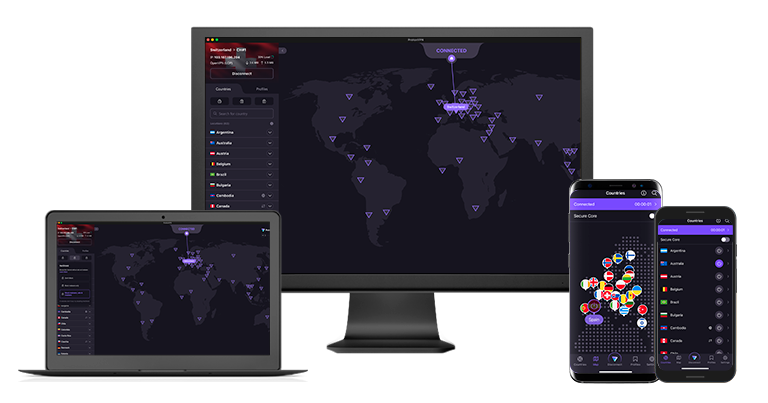
Proton VPN's free plan offers unlimited data, which is rare for a free iPhone VPN. We used over 50GB of data during our tests while streaming YouTube and Netflix without hitting any caps. In contrast, we often ran out of data using other free VPNs within just a few hours. We also got good speeds in our Proton VPN tests — it effortlessly streamed HD shows on mobile networks.
The iOS app is open-source and regularly audited for security. Security researchers can inspect the code for vulnerabilities, and third-party audits confirm its safety. It also offers 3 security protocols: Smart, WireGuard, and Stealth. Stealth hides your VPN use to bypass blocks on restrictive networks. Most free VPNs only allow users that upgraded to a paid plan to use obfuscation. I tested it at a library with VPN filters, and my connection stayed stable.
 I quickly found the Stealth protocol to use it on my public library network
Free servers are available in 10 locations, including the US, Netherlands, and Japan. While you can't manually choose your server location, the app automatically connects you to the fastest available option. That said, when we clicked Change server, we were often connected to a different location entirely, so that’s one way to possibly get around the limitation.
Unfortunately, Proton VPN doesn’t officially support streaming on its free plans. Netflix or Apple TV+ might not work from all locations. However, it worked with YouTube, Netflix Originals, and Peacock during our tests, and its fast speeds and no data caps let us stream for hours without any issues.
Useful Features
- Always-on VPN. Thanks to this feature, the VPN will automatically re-establish a secure connection every time your iPhone unexpectedly loses a connection with a VPN server.
- No ads. Proton VPN’s free plan is fully supported by the paying users of the premium offer, so it doesn’t bring annoying ads, malware, or privacy concerns on your iPhone.
- Siri shortcuts and iPhone widgets. These features are tailored to flawlessly work on iPhone. Setting them up helps control your VPN connection straight from your home screen.
- VPN Accelerator. When enabled, this uses advanced technology to improve your connection stability and reduce CPU usage, improving your battery life and browsing experience on iOS devices.
- Unlimited monthly data
- Reputable privacy practices and features
- Fast speeds near and far
- Only nearby server connection
- No P2P support
2. hide.me — Support for IPv6 to Prevent Data Leaks on Your iPhone

| Best Feature | Full IPv6 support prevents leaking your data on modern networks |
|---|---|
| Server Network | 7 free server locations across Europe and the US |
| Security and Privacy | Military-grade encryption with leak protection |
| Free Trial | Free plan |
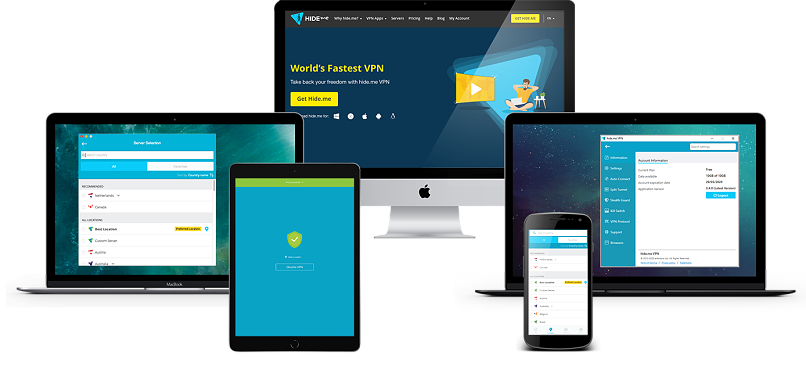
hide.me VPN is one of a few VPNs that support IPv6. This protocol isn’t common yet — the internet mainly runs on IPv4, so many VPNs just block IPv6. This may prevent access to sites that use IPv6. Or, if it does load, you won’t be protected by the VPN, leaving you vulnerable to leaks. hide.me securely routes all your IPv6 through the VPN, and when I used it on my iPhone, it passed all of my leak tests.
The free plan covers 7 server locations distributed across Europe and the US, which is decent. It’s not ideal if you live far from those regions, as servers close to your location usually give you the best speeds. However, hide.me allows you to choose your preferred location option while using the iOS app. It only took a few seconds to connect on my iPhone 14.
 hide.me automatically connected me to the recommended server
You get strong security features without having to configure anything on your iPhone. The VPN automatically enables its kill switch and DNS leak protection when you connect. Its no-logs policy has been independently audited by Securitum, proving it doesn't store any of your browsing data.
Similar to Proton VPN, you get unlimited data per month with hide.me. It doesn’t support a lot of streaming platforms on its free version, but it works with Netflix Originals and Max. You’re also limited to one device connection on the free plan, but if you just need a VPN for your iPhone, it’s enough.
Useful Features
- 24/7 support. It also offers 24/7 live chat to free users as well as an extensive knowledge base. I could send a support request directly through the iOS app, too, which was really convenient.
- Protocol selection. Choose between IKEv2, OpenVPN, and WireGuard, based on network conditions. You can also go for the automatic protocol selection for the best results.
- Stealth Guard. This feature prevents selected apps from connecting without VPN protection, adding an extra security layer for sensitive iOS apps like online banking or online shopping.
- Tons of customizable security features
- Unlimited monthly data
- Free servers in 7 locations
- Capped speeds
- No server selection after 10GB of data
3. Avira Phantom VPN — Free iOS VPN With No Sign-Up Required
| Best Feature | Just download the app and connect to a server; no need to provide any info |
|---|---|
| Server Network | 36 server locations, with automatic server selection |
| Security and Privacy | AES 256-bit encryption with multiple protocols |
| Free Trial | Free plan |
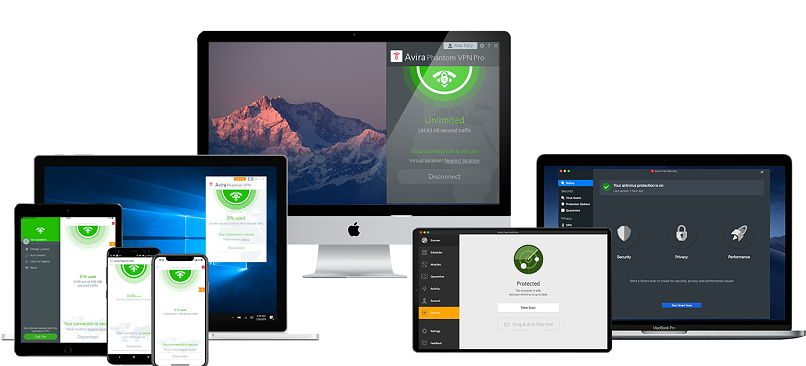
Avira Phantom VPN lets you protect your iPhone without signing up or providing any personal information. You can download it directly from the App Store and start using it immediately. This means that you don’t need to remember your login credentials or create yet another account to manage.
Its mobile app provides access to over 36 global server locations, significantly more than most free VPNs offer on iOS. It has a vast server network across Europe and the US (with a few servers also in Australia and Asia). Unfortunately, you can’t choose a server; you get one assigned automatically based on your location. But, with more locations than Proton VPN, there’s a better chance of getting one near you for better speeds.
 The server list includes some less common locations like Hong Kong or New Zealand
However, no matter what server we used, Avira Phantom VPN slowed down our speeds significantly (around 80% on average). This kind of drop is typical for free VPNs, but with Avira, we couldn’t stream Netflix or YouTube in HD without some buffering. Even loading Instagram stories or FaceTime calls felt sluggish at times.
That said, its 500MB monthly data limit on the free plan means it’s not suitable for streaming anyway. However, you can double this to 1GB by registering with an email address. While this won't cover extensive streaming or large downloads, it's enough for everyday activities like checking email and browsing social media on your iPhone.
Useful Features
- AES 256-bit encryption. Military-grade encryption makes sure your online privacy is protected at all times while browsing on your iPhone.
- Smart connection rules. Set custom rules for when your iPhone VPN activates, like automatically connecting on public WiFi networks.
- DNS leak protection. Automatic settings prevent your device from revealing your real iPhone location through DNS requests, keeping your online activities private.
- Unlimited simultaneous devices
- Access to 36 countries on mobile
- No signup required
- Max 1GB monthly data (with email signup)
- No kill switch
4. Hotspot Shield — Proprietary Hydra Protocol for Fast Speeds on Your iPhone
| Best Feature | Hydra protocol offers fast speeds on mobile |
|---|---|
| Server Network | 5 free server locations to use on your iPhone |
| Security and Privacy | Military-grade encryption with automatic protocol selection |
| Free Trial | Free plan |
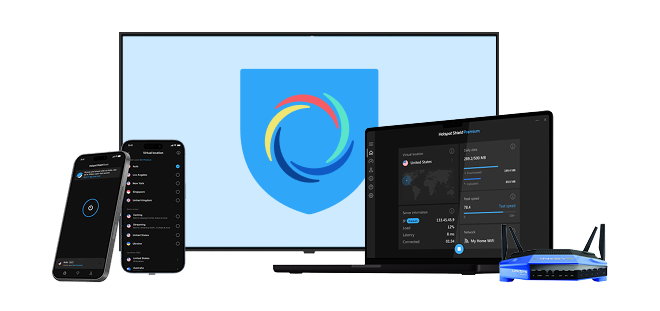
Hotspot Shield's Hydra protocol delivers reliable performance on iPhone. It also powers obfuscation technology, so you can use the VPN on restrictive networks. The free version limits your max speed to SD quality. However, when we tested Hotspot Shield, we had no interruptions as we streamed funny cat videos on YouTube for hours. While streaming options are limited on the free plan, it does offer locations optimized for Netflix in the US and UK.
 The free version only supports the Auto and Hydra protocols
The iOS app keeps things simple with a streamlined interface. A single tap connects you to the fastest available server. Unlike most free VPNs, you can also choose between 5 available server locations in the US, Singapore, and the UK. It also clearly indicates which servers are meant for streaming or gaming.
The free iOS version also displays ads, which can be mildly annoying when establishing connections. Luckily, the ads disappear once you're connected, and the unlimited data allowance means you can keep your iPhone protected without watching your usage.
Useful Features
- Always-on VPN. Just like Proton VPN's same feature, this one works by automatically re-establishing the VPN connection if it fails.
- Speed-optimized Hydra protocol
- Unlimited monthly data
- Supports torrenting traffic
- Ad-supported
- Logs anonymized data
- Limited streaming abilities
Benefits of Using a VPN for iPhone or iPad
A VPN is one of the easiest ways to add security and privacy to your iPhone or iPad when connecting to public or shared WiFi. iOS already has solid built-in protections, but it doesn't automatically encrypt every bit of your internet traffic or hide your IP from the websites and apps you're using. A VPN fills those gaps by routing your connection and traffic through an encrypted tunnel and masking your real IP address.
Here are the key benefits it adds to your iOS devices:
- More privacy from networks and intermediaries. A VPN encrypts the data leaving your iPhone or iPad, which makes it much harder for your ISP, the WiFi owner, or other intermediaries to see which sites you visit or what you’re doing online. Combined with a strict no-logs policy, this helps keep everyday browsing more private.
- Safer use of public WiFi. When you connect to WiFi in cafés, hotels, airports, or other public places, you have no control over how the network is configured or who else is on it. A VPN adds a strong layer of encryption on top of HTTPS, which helps protect logins, messages, and other sensitive data from basic snooping or poorly secured routers.
- Better protection against tracking. Your IP address can be used as one of many signals to track you across apps and websites. By masking your real IP and routing your traffic through a VPN server, it becomes more difficult for advertisers, analytics tools, or other third parties to link all of your activity back to a single device or connection.
- More consistent security across all apps. iOS lets each app handle its own connections, which can lead to a mix of secure and less secure traffic. A VPN helps by encrypting the connection at the system level, so even apps that don’t use strong security themselves still benefit from an encrypted tunnel.
- Extra control when traveling. When you’re outside your home country, banking apps, email providers, or other services may trigger extra checks based on your location. A VPN with a choice of server locations can reduce this friction by letting you connect through a region that works more reliably with your services.
Free VPNs can offer many of these features, but they also come with restrictions on data usage, speed, or server locations. For regular use, such as streaming, work, or frequent travel, a paid subscription provides better performance and more reliable privacy protections.
Can You Trust Free VPNs for iPhone?
While Apple's App Store has strict security standards, some questionable VPNs still slip through. Free VPNs can be particularly dangerous due to the sensitive personal data stored on your iPhone. Here are the main risks of using untrusted free VPNs on your iPhone:
- Data collection and monetization. Many free VPNs collect your browsing history, app usage data, and location information to sell to advertisers. For example, TouchVPN's privacy policy explicitly states it shares user data with third parties.
- Hidden malware and tracking. Hola VPN was caught selling users' bandwidth through a botnet, while SuperVPN contained malicious code that could access iPhone user data.
- Battery drain and performance issues. Some free VPNs run aggressive background processes that drain your iPhone's battery and slow down performance.
- Security vulnerabilities. Cross VPN was found to leak users' real IP addresses on iOS devices, completely exposing their online activities. Similarly, Link VPN lacked the basic encryption standards required for iPhone security.
- Excessive permissions. Some free VPNs request unnecessary access to your contacts, photos, and other private iPhone data.
That's why we conducted extensive testing and research on free iOS VPNs and found the ones that are actually safe and decent. They provide some of the benefits of the best premium iOS apps, with as few limitations as possible.
Free VPNs to Avoid
- Hola VPN (free). This isn't a real VPN — it routes your traffic through other users' devices. This means random strangers could access your iPhone's IP address.
- TurboVPN. Multiple security researchers have found concerning privacy issues with this app, including connections to servers in China despite claiming to be based elsewhere.
- VPN 360. This app has been caught collecting extensive user data and sharing it with third parties, despite claiming to protect privacy.
- X-VPN. Security researchers found this app sending user data to multiple third-party analytics services without disclosure in its privacy policy.
The Process We Used for Testing Free VPNs for iPhone
We focused on testing these VPNs, specifically with iOS devices, to evaluate their performance and security. Our primary concerns were iOS compatibility, server network, and security. We also measured speed drops across different network conditions to assess performance. Integration with iOS features, like Widgets and Siri Shortcuts, was also a plus.
For a detailed breakdown of how we test VPNs, visit our methodology page. Our global team regularly updates these reviews based on continuous testing and real-world usage. Feel free to use it as a foundation for your own testing.
FAQs
Final Note
Finding a free VPN that won't compromise your online security by selling your data or slowing down your iPhone is hard. During our tests, we identified several safe options, and while they still had some restrictions compared to premium VPNs, they provide a much better experience streaming, gaming, or browsing safely than other free iPhone VPNs.
The one that avoids most of these annoyances is Proton VPN. Unlike most other free VPNs, it doesn’t limit your data, so you can binge-watch shows or play mobile games without undue interruptions. Avira VPN is another great option that offers more server locations on mobile than most free VPNs.


About the Author
Hendrik is a former writer at The How To Guide, specializing in VPN comparisons and user guides. With 5+ years of experience as a tech and cybersecurity writer, plus a background in corporate IT, he brought a variety of perspectives to test VPN services and analyze how they address the needs of different users.

I'm looking for VPN App for older Ipad, 12.5.7. They all seem to need a 15.0 or newer.

Please, comment on how to improve this article. Your feedback matters!