VPN Routers: What They Are & How To Install One (In Record Time)
VPN routers offer a way to keep many devices protected at the same time, without having to install the VPN on each of them. It’s a great way to encrypt all your traffic, browse on as many devices as you want, and connect to any location.
However, not all VPNs are equal. Some of them will slow you down, while others may not even allow you to install them on your router. To save you some time, I tested and shortlisted the best VPN routers out there.
After testing 30+ VPNs, my top recommendation is ExpressVPN. It offers superfast speeds and is easy to use on most routers. Best of all, you can give it a try risk-free before making a long-term commitment. You can request a refund within 30 days if you don’t like it. Editor's Note: Transparency is one of our core values at The How To Guide, so you should know we are in the same ownership group as ExpressVPN. That said, our detailed reviews follow a strict methodology that examines all relevant performance factors to help you arrive at your own informed conclusion.
Best VPN Routers in August 2026
1. ExpressVPN — Superfast Speeds to Browse Without Interruptions

- Lightning-fast speeds allow you to browse without lag
- 3,000+ servers in 105 countries to connect to any location
- 14 simultaneous device connections
- 30-day money-back guarantee*
- Compatible with: Asus routers, Windows, Mac, iOS, Android, Linux, and more
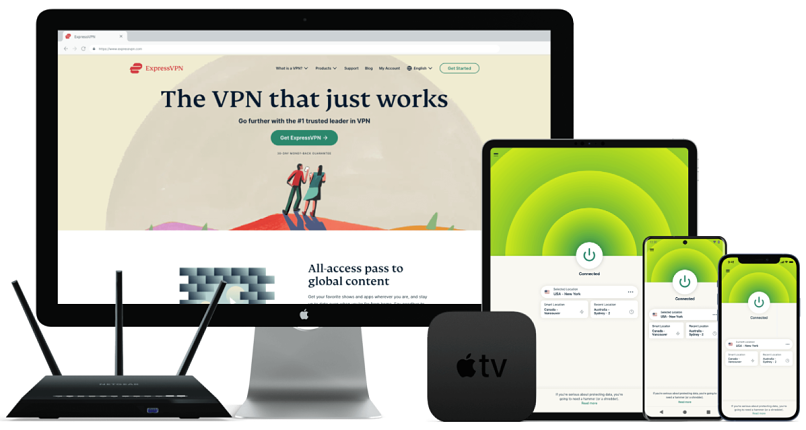
ExpressVPN offers ultra-fast speeds, so you don’t have to worry about lag or buffering. During my tests, I had an average of 70 Mbps. Considering that I had 5 devices connected to the same router, this was more than impressive.
With thousands of servers around the world, it’ll be easy to find one that suits your needs. Unlike other VPNs, ExpressVPN allows you to easily change the location of your server, even on your router. Simply create device groups and use its interactive interface to assign them to new locations. This way, you’ll easily connect your VPN router to any country.
It has impressive security features, so no hacker will get to your data. With military-grade encryption and multiple security protocols, you won’t have to worry about hackers invading your privacy. Even more, the network lock kill switch is also available on routers, so your connection will always be protected.
The VPN also offers pre-flashed routers, so you don’t have to manually set it up. This is a great option to get a VPN router even if you don’t have the time or technical knowledge to install one. You’ll be ready to start browsing immediately.
ExpressVPN’s only downside is its price, which is a little high. However, you can get it for as little as $2.49/month when you sign up for a long-term plan.
Keep in mind that you can try ExpressVPN risk-free before you commit. Since it’s backed by a 30-day money-back guarantee, you’re entitled to a full refund if you decide you don’t like it. I tested this claim myself and reached out to the support team through its 24/7 live chat support. After telling the agent that I didn’t need the VPN anymore, he approved my request. I had my money back in less than 3 days. Editor's Note: Transparency is one of our core values at The How To Guide, so you should know we are in the same ownership group as ExpressVPN. That said, our detailed reviews follow a strict methodology that examines all relevant performance factors to help you arrive at your own informed conclusion.
Get ExpressVPN On Your Router Now!
2. CyberGhost — Large Server Network to Connect to Any Location

- Impressive speeds for uninterrupted browsing
- 11,690+ servers in 100+ countries around the world
- 7 simultaneous device connections
- 45-day money-back guarantee
- Compatible with: DD-WRT routers, Windows, Mac, iOS, Android, Linux, and more
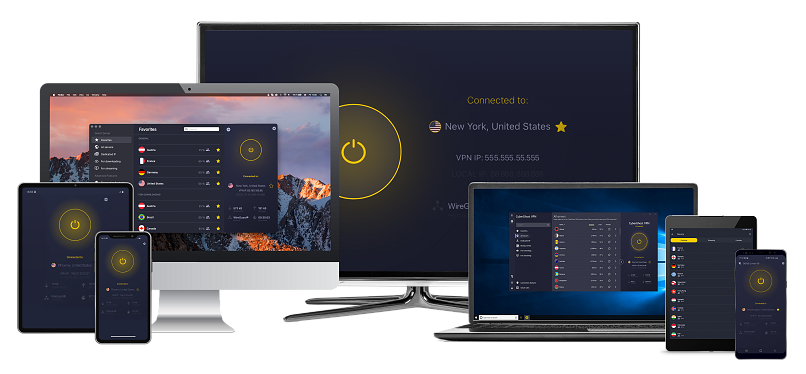
CyberGhost has an impressive server network, allowing you to connect to any corner of the world. I connected my router to the US, UK, Australia, and Canada during my tests, and I never experienced lag or interruptions.
It has fast speeds, so you won’t have to deal with interruptions and slowdowns. When I tested it, my speed averaged at 55 Mbps — this is more than enough to browse without lag. Even when I connected my Windows laptop, MacBook, tablet, and phone to the same router, my connection didn’t stutter. This means that you’ll get the most out of your connection, regardless of how many devices you connect.
You’ll easily install it on your router, thanks to its advanced guides. It only took me 15 minutes to set it up on my router, and I could start browsing right away. Since you can choose any of the 100 countries CyberGhost offers, you’ll be able to enjoy international TV on any device.
The only problem I encountered with CyberGhost was that its short-term plans are expensive and only offer a 14-day money back guarantee. However, you can get a longer subscription for as little as $1.59/month a month, which is a lot more affordable.
You can take advantage of CybergGhost’s extended 45-day money-back guarantee and try it for free. If you later decide you don’t like it, you can ask for a full refund. I tested this claim and contacted CyberGhost’s support team through its website. After explaining that I didn’t need the VPN anymore, the agent approved my request — the entire process didn’t take longer than 7 minutes. I had my money back in 4 days. Editor's Note: Transparency is one of our core values at The How To Guide, so you should know we are in the same ownership group as CyberGhost VPN. That said, our detailed reviews follow a strict methodology that examines all relevant performance factors to help you arrive at your own informed conclusion.
Get CyberGhost On Your Router Now!
3. Private Internet Access — Extensive Compatibility to Install it On Any Router

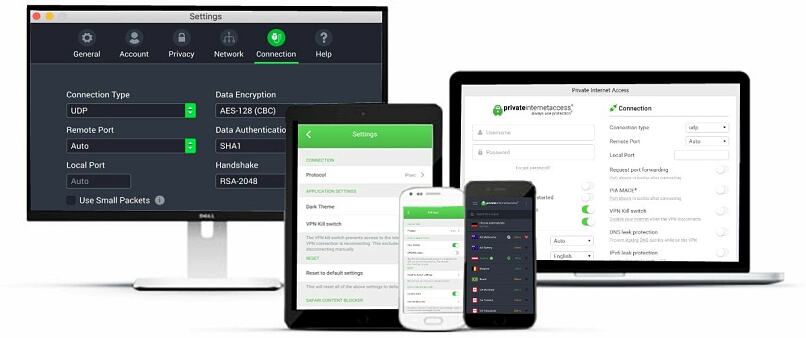
- Fast speeds to browse without lag
- 29,650+ servers to enjoy websites from all over the world
- Unlimited simultaneous device connections
- 30-day money-back guarantee
- Compatible with: DD-WRT, Tomato, and pFsense routers, Windows, Mac, iOS, Android, Linux, and more
Private Internet Access is available for multiple router models, so you won’t have compatibility issues. However, it also offers you the possibility to get a pre-configured router, so you don’t have to go through the setup process. This means that you’ll have all your devices protected in no time.
It has a massive server network, so no country is out of reach. I didn’t have any problems connecting to servers in the US, UK, and Australia.
With its amazing security features like the kill-switch, split tunneling, and more, you'll always stay protected online. Plus, it has a strict no-logs policy so all of your data will stay private.
It has super-affordable prices, starting at $1.33/month per month. This allows you to keep all your devices protected for the price of a cup of coffee.
You can try Private Internet Access free with its 30-day money-back guarantee. I tested its promise and got in contact with a customer support rep through its website. The agent wanted to know why I was leaving, but he didn’t pressure me to stay. I received a full refund within a week. Editor's Note: Transparency is one of our core values at The How To Guide, so you should know we are in the same ownership group as Private Internet Access. That said, our detailed reviews follow a strict methodology that examines all relevant performance factors to help you arrive at your own informed conclusion.
Get Private Internet Access On Your Router Now!
What is a VPN Router and How to Check if Yours is Compatible
With a VPN router, you can connect devices that don’t normally support VPNs. It’s also a great way to keep all your smart devices protected at the same time. Instead of setting the VPN on each of your devices, you can connect them all to the same router and take advantage of the improved security features it offers.
Most VPNs are compatible with DD-WRT and Tomato routers. You can find the make and model of our router on its back and then check if it’s compatible with your chosen VPN.
How to Set Up a VPN Router
Before going through the setup process, you need to make sure that the VPN you chose is compatible with your router. If you’re not sure, ExpressVPN offers pre-configured routers, making the entire process a lot faster.
- Get a VPN. I recommend ExpressVPN for its superfast speeds and ease of use. You can give it a try risk-free before you commit to a long-term subscription.
- Download the VPN firmware. Go to ExpressVPN’s website and download the firmware for your router. You’ll find the router model on its back.
- Copy the activation code. Leave the page open or copy your activation code. You’ll need it during the setup.
- Access your router’s settings. Use your default gateway (192.168.1.1) to view the settings. Then, go to your administrator options and choose the “Firmware Upgrade” tab.
- Install the firmware. Find the firmware you downloaded from ExpressVPN’s website and upload it to your router.
- Connect to the router. After you finish the installation, connect your device to the router.
- Finish the setup. Locate ExpressVPN’s router setup page and follow the on-screen instructions. Copy the WiFi name, passwords, and router admin information for later use.
- Start browsing! Your VPN Router is set up, so you can go ahead and connect any device.
Start Browsing With a VPN Router Today
With a VPN router, you can easily keep all your devices protected at the same time — even those without native VPN support.
I recommend ExpressVPN. It has superfast speeds, the installation is simple, and you can switch servers even on your router. You can try ExpressVPN risk-free before you commit. It’s backed by a 30-day money-back guarantee, so you can get a full refund if you don’t like it.